Disclaimer: This article provides general information only and is not a substitute for medical advice. Stop if a movement causes pain, and speak with a qualified health professional about persistent pain or a medical condition.
A break reminder cannot make desk work healthy by itself. It can, however, interrupt the moment when one email turns into another hour in the chair. This 2026 update checks which apps from our original list are still available, which have changed and which one has been discontinued.
Australian guidance recommends breaking up long periods of sitting as often as possible. A 2025 review of 18 studies found that computer prompts reduced workplace sitting by about 12 minutes per day and increased daily steps by about 1,030 on average. The researchers rated the certainty of the evidence as low to moderate, so reminders are useful tools rather than a guarantee of better health.
Break reminder apps: the 2026 status check
Prices, operating-system requirements and app features can change. Check the current store or developer page before downloading. The order below matches the original list so you can see what changed.
-
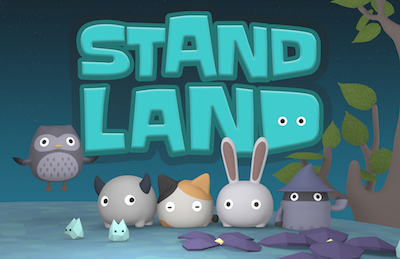
Standland — active, free with in-app purchases
Works on: iPhone and Apple Watch. Standland turns standing into a small game: its creatures wake when you stand and move for more than a minute during an hour. The current App Store listing says the app is free to download, with optional purchases, and requires iOS 18 or later.
Best for: people who respond well to visual goals and gentle rewards. It reads stand or step information from Apple Health, so review the permissions before enabling it.
-
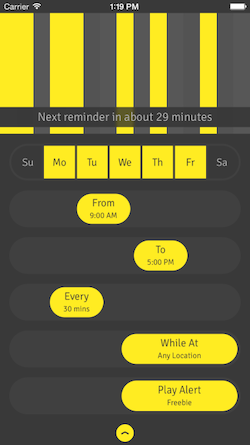
Stand Up! The Work Break Timer — active, free with in-app purchases
Works on: iPhone and iPad. This is a straightforward timer with intervals from five minutes to two hours. You can limit alerts to a work location, set a standing duration and review a seven-day history. The free version is functional; optional purchases unlock additional alarm sounds.
Best for: someone who wants a simple schedule rather than guided exercises.
-
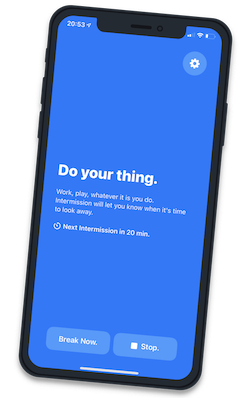
Intermission — active, but no longer free after the trial
Works on: macOS. Intermission places a break across every connected display and can pause during meetings, presentations, videos and screen sharing. It is designed around eye-rest reminders rather than guided stretching.
The current offer is a seven-day free trial followed by a one-off purchase, so it no longer belongs on a list of completely free apps. It may still suit people who repeatedly dismiss ordinary notifications.
-
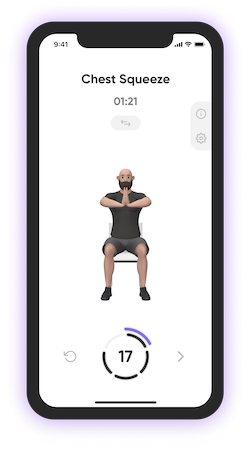
StretchMinder, now Moova — renamed and expanded
Works on: mobile devices; check the current store listing for compatibility and pricing. The old StretchMinder website now redirects to Moova. The service still centres on scheduled movement breaks, but it now presents itself as a broader mobility app with short activity sessions and a larger exercise library.
Best for: people who want an activity suggestion with the reminder. Treat old StretchMinder reviews and screenshots as historical because the name and product have changed.
-
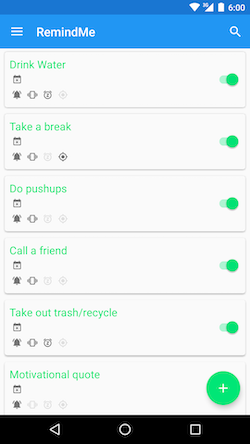
Randomly RemindMe — discontinued
Was available on: Android. The developer's repository says the app is discontinued, no longer maintained and no longer available from Google Play. Its flexible random reminders were useful for habits that did not fit a fixed interval, but it should not be installed from an unofficial download site.
Choose instead: a current app-store reminder or the alarm and reminder tools already built into your phone.
-
Stretchly — active, free and open source
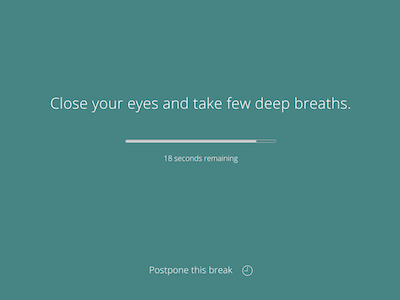
Works on: Windows, macOS and Linux. Stretchly alternates short and long breaks and lets you adjust their timing, duration and strictness. The project is actively maintained, but macOS users should read the installation notes: the app is unsigned and may require approval in macOS privacy and security settings.
Best for: people who use more than one desktop operating system and want detailed controls without a subscription.
-
Big Stretch Reminder — active and free
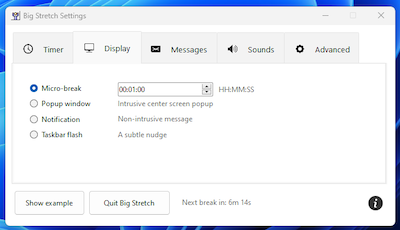
Works on: Windows 10 and 11. Big Stretch can use activity and idle time when deciding when to prompt you. Reminder styles range from a subtle taskbar flash to a timed break, and stricter escalation is optional.
Best for: Windows users who want a lightweight tool and control over how difficult a prompt is to ignore.
-
Workrave — active, free and open source
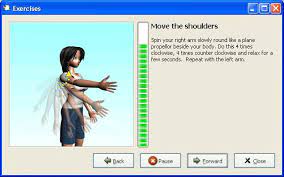
Works on: Windows and Linux. Workrave tracks active computer use and can schedule frequent microbreaks, longer rest breaks and a daily limit. It can show exercises during longer breaks and can be configured to allow, restrict or remove postpone and skip controls.
Best for: people who want the timer to respond to keyboard and mouse use rather than simply count clock time.
-
Time Out — active and free, with supporter features
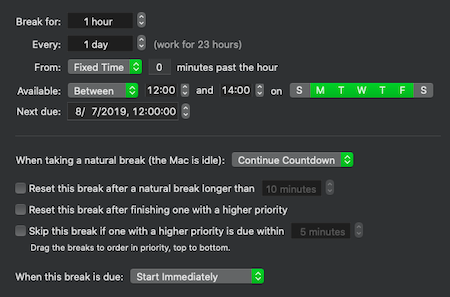
Works on: macOS. Time Out supports brief microbreaks and longer movement breaks, with controls for timing, appearance and postponement. The latest version requires macOS 26, while the developer also provides an older release for macOS 10.15 and later.
The core app can be used free of charge. One-off supporter purchases unlock advanced features; they are not recurring subscriptions.
-
PostureMinder — active Chrome extension
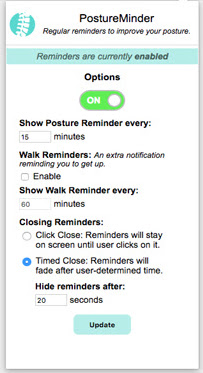
Works on: Google Chrome. PostureMinder remains listed in the Chrome Web Store and lets you choose intervals for posture and walking reminders. It is the smallest option here if you work mainly in a browser.
Best for: people who want a basic browser prompt and do not need exercise demonstrations or detailed tracking. As with any extension, review its current permissions before installing.
How to choose a reminder you will follow
An ABC reader with a desk job described alternating between sitting and standing and stretching between tasks, yet still finding it hard to fit more movement into a busy day. That experience captures the real problem: knowing that breaks matter is different from remembering them while work is moving quickly.
Start with the device that is already in front of you. Choose a quiet notification if interruptions make you switch the tool off. Choose a full-screen or harder-to-dismiss break if ordinary alerts disappear into the background. Then set a realistic action: stand, walk to refill water, look away from the screen or complete one comfortable movement.
Do not assume that standing still all day is the answer. The Australian guidance is to break up prolonged sedentary time as often as possible, and the practical aim is variation. A reminder should help you change position and move, not replace regular physical activity.
Set up a one-week test
- Pick one reminder tool rather than installing several.
- Use a schedule that fits meetings and focused work.
- Decide in advance what you will do when the alert appears.
- After one week, check whether you followed, postponed or ignored most prompts.
- Make the prompt gentler, firmer or less frequent based on what actually happened.
The best app is not the one with the longest feature list. It is the one that fits your device, interrupts you at workable times and leads to a small amount of movement you can repeat.